Parallelizing AI agents: distributed execution with DAG
Day 44 / 60
I think I'm at the point where the agent architecture works well.
I have 5 machines running DIgSILENT (I'd love to have more machines but the license is very expensive and I'm using a university license).
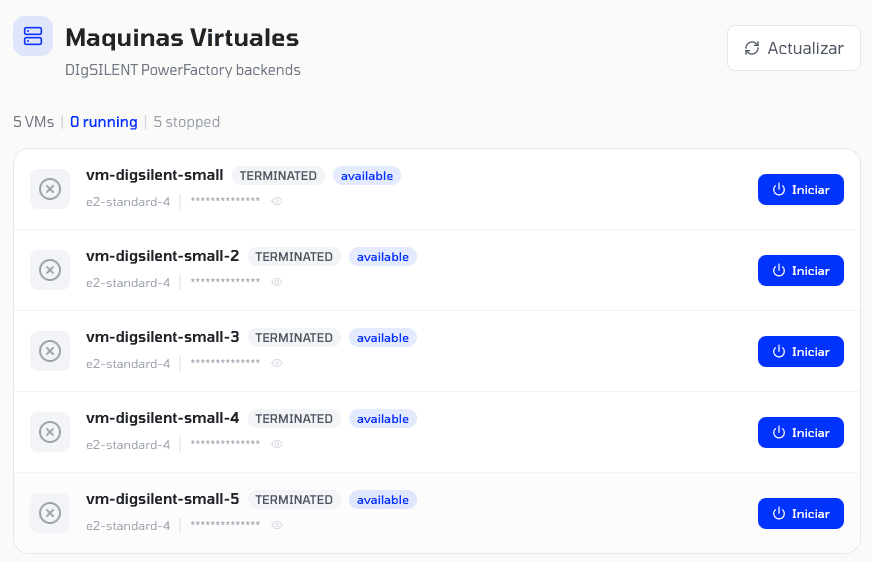
5 VMs running DIgSILENT in parallel
Why do I have 5 machines running the simulation software? Because when I ran the last power flow study I noticed how tasks were being done one after another when they could easily be parallelized to save time. So now the planner, the one responsible for creating tasks, doesn't create a simple plan, but creates a DAG, a directed acyclic graph, that enables task parallelization.
Look at this example prompt:
Simulate a three-phase short circuit on Line 1, Line 2, Line 3, Section 2 and Section 1. Compare fault currents across all buses and generate a PDF report with the single-line diagram.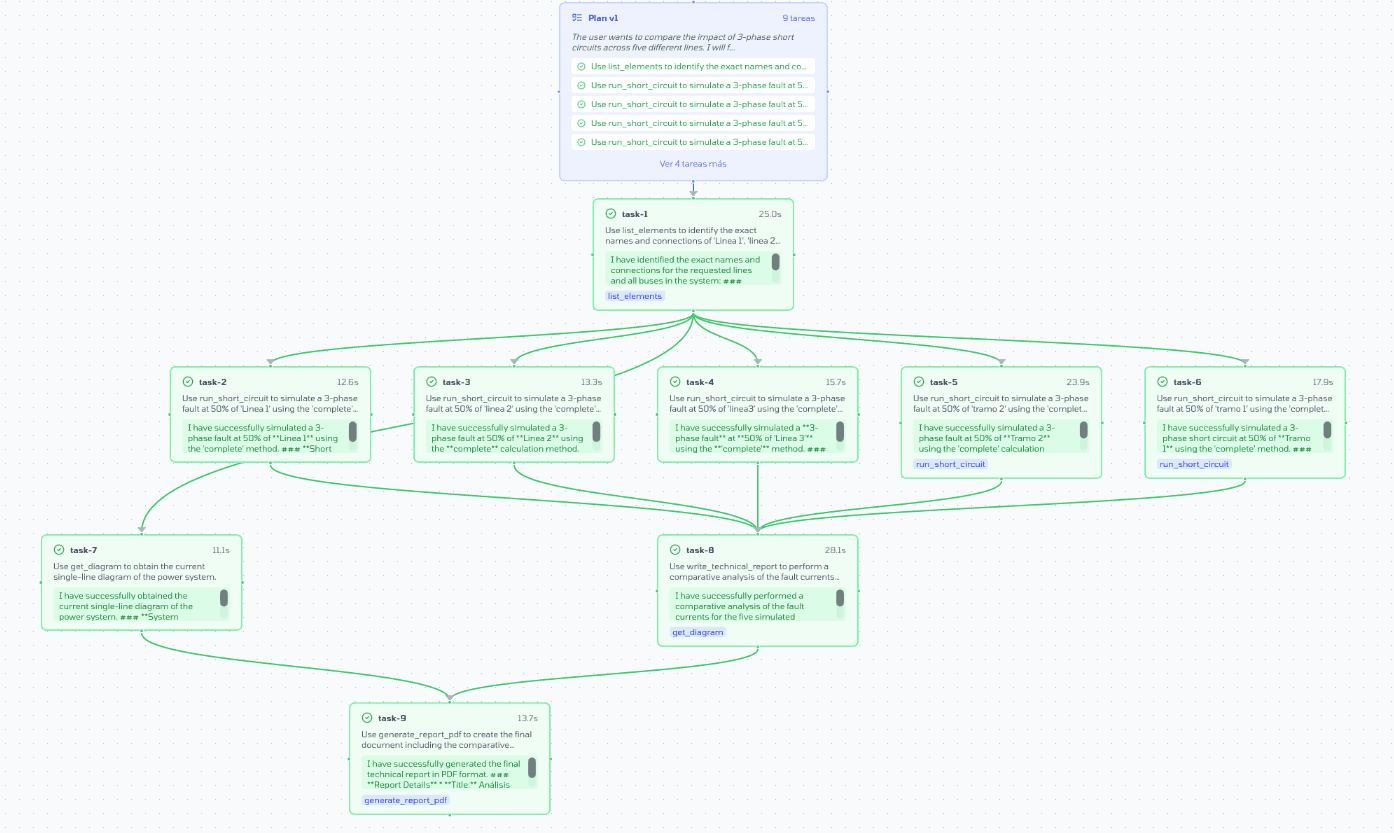
DAG showing 5 short circuits in parallel
If we look closely, 5 short circuits could be done on 5 different machines, instead of doing them one after another. That's exactly what I'm doing. On top of that, I added a preliminary step before entering plan-and-execute mode to chat with the user to fully understand what needs to be done, just like Claude Code does.
Time and cost comparison
Let's compare times and costs vs what I had last week, same complex prompt for a power flow study:
This is important: the same prompt but with 5 VMs running the simulation software with DAG took ⅓ of the time, used fewer tokens and slightly less money overall.
It's worth noting that the cost I had before was only considering token usage, but I forgot to add the virtual machine cost which is about $0.38 USD per hour.
By parallelizing I make many calls to Gemini 3. My Tier 1 limits are 5M tokens for Pro and 3M for Flash. In Tier 2 they go up to 500M and 400M respectively. Last month I spent $160 USD on cloud. I think I'll reach Tier 2 during February, which would allow me to take D.N to the next level.
Non-deterministic results
Something I've noticed is that the same report made multiple times by the agent isn't always the same. I knew this before starting — LLMs aren't deterministic, and during a report development cycle I call an LLM at least 50 times.
However, every report it produces I observe carefully and indeed the analysis it performs is always correct. The power flows and simulations the agent runs are deterministic, so it's fine in that regard.
The next step: finding connection points
I think I have the studies well advanced. So, since I have the studies, why not evolve to the next level and ask the project to not only verify if the already selected location is good, but to find possible locations?
For this, I would need to make the agent go to the available substation and look at the substation layout to identify if there are bays or possible connection points available. Also, I'd need to check open access to see if there's something under construction or planned to connect at that point.
This would greatly improve the project. It wouldn't just do electrical studies, but would know where to do the electrical study and why to do it there, test different loads and see if it's possible for it to work at that location.
For this, I added a geospatial search tool. Now the agent can search what's near any location: substations, transmission lines, PMGD plants. Here's an example of 500 kV substations near Santiago.
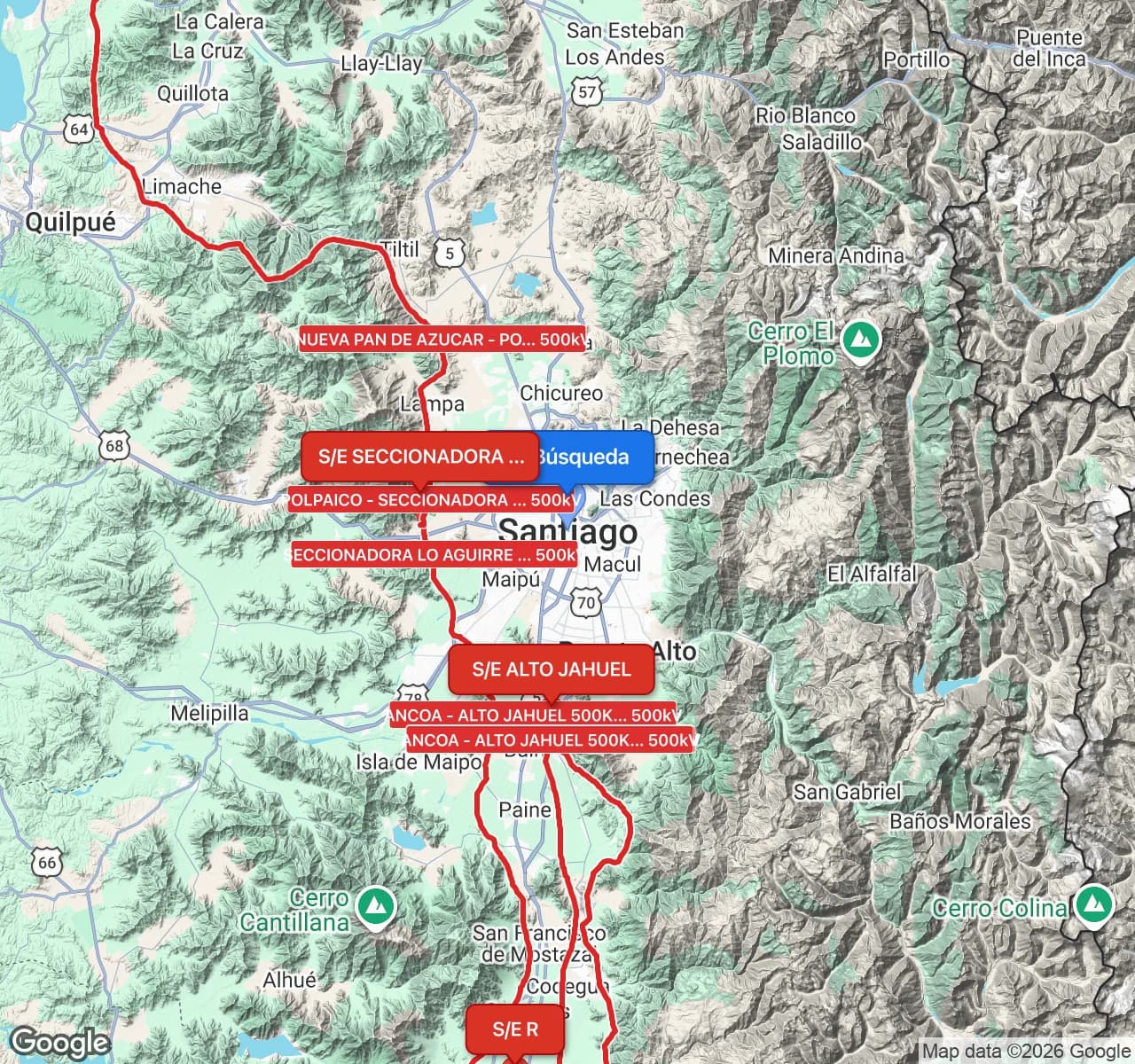
500kV substations near Santiago - geospatial search
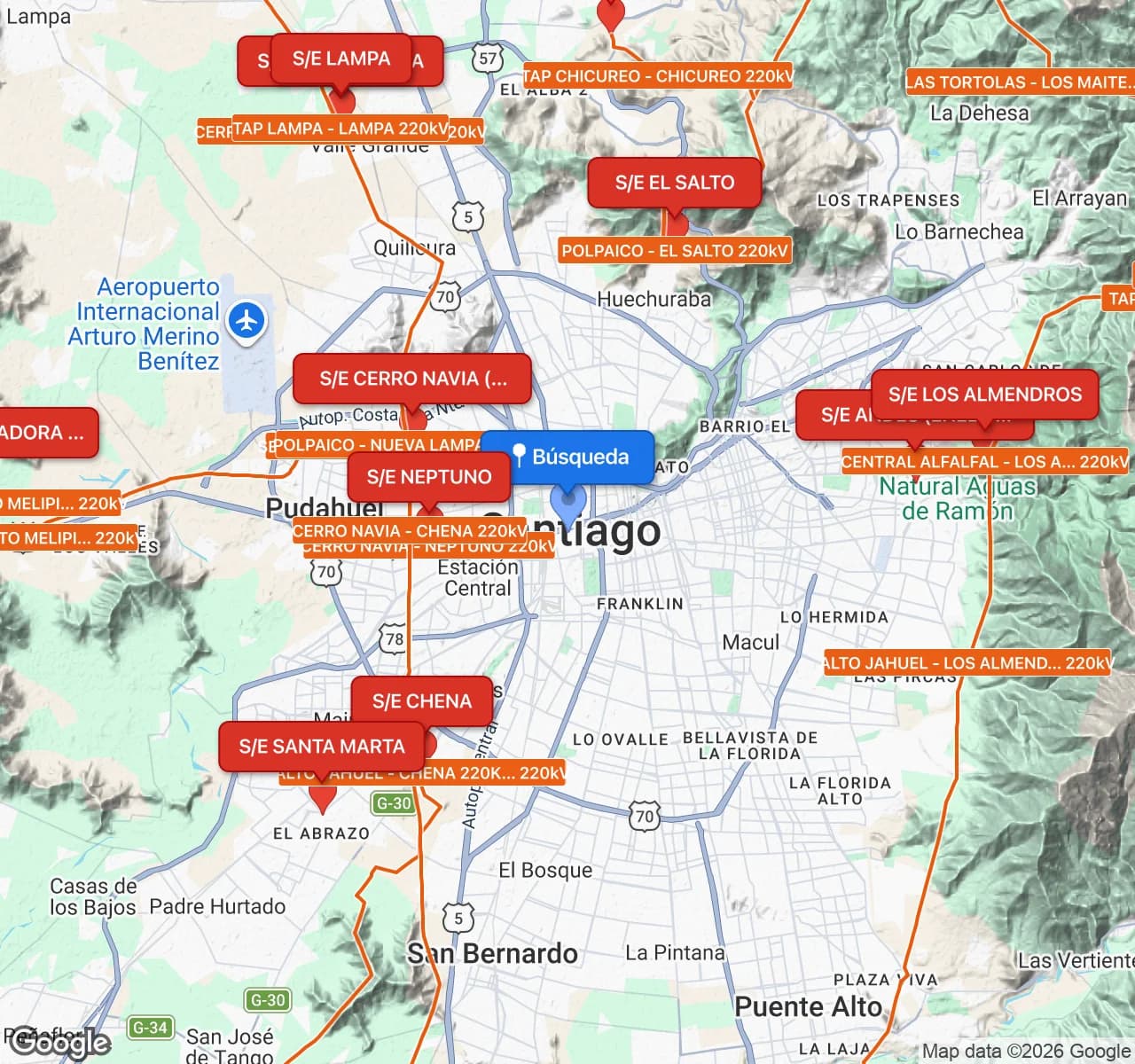
220kV substations near Santiago - geospatial search